Oxo Sample

LOFI 12-bit sampler and sequencer

Live sliders, straight into the buffer

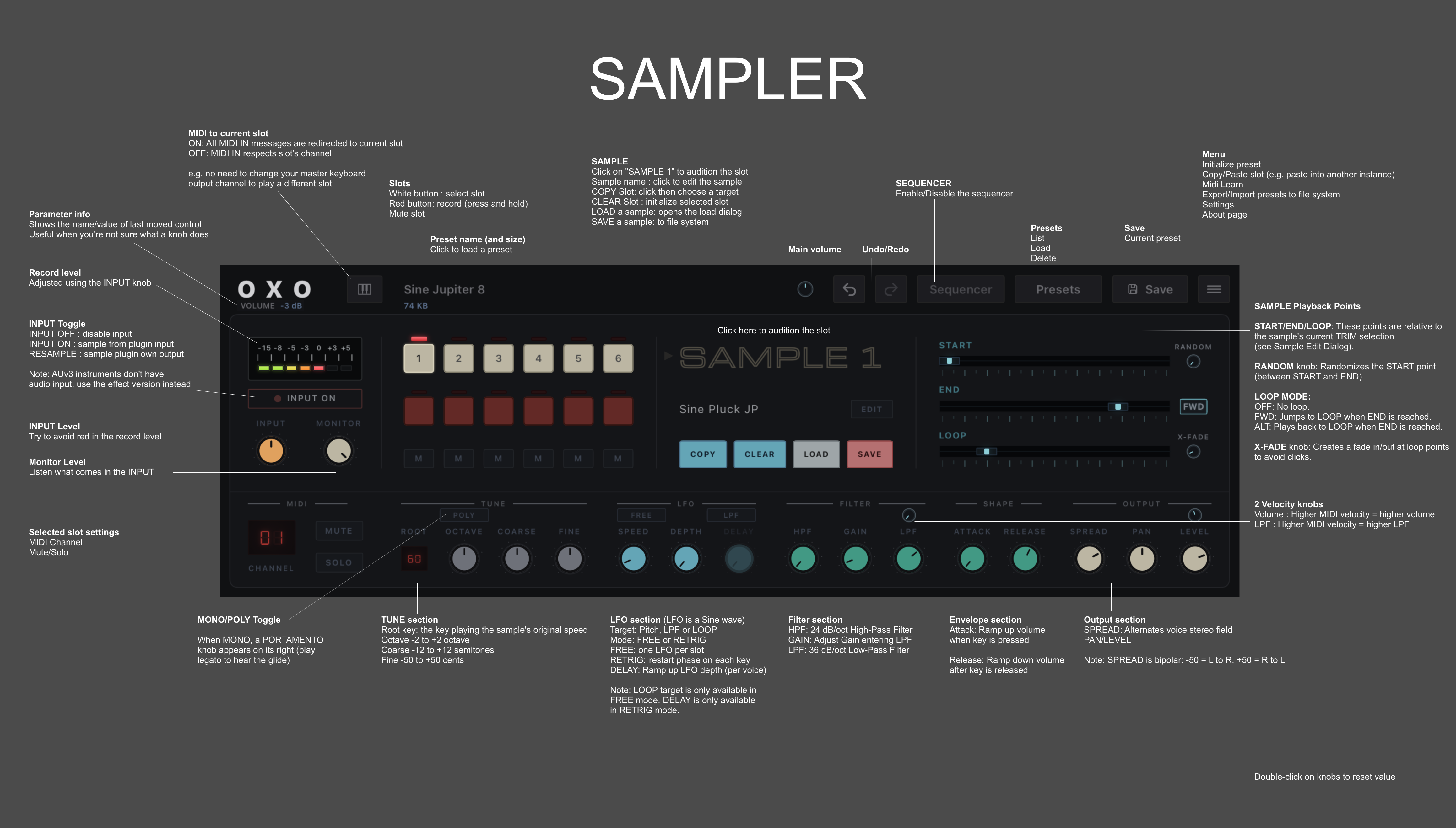
The sliders (START, END, LOOP) are live: they directly access the audio buffer. Place START after END and the sample plays in reverse.

  • Record anything: capture incoming audio straight into a slot, from the iPad's microphone or any channel in your host.
  • Resample: feed the plugin's own output back in to stack lo-fi generations.
  • Load your own samples: grind them through the 12-bit path.
  • Sequence everything: use the Oxo Steps sequencer for each slot.
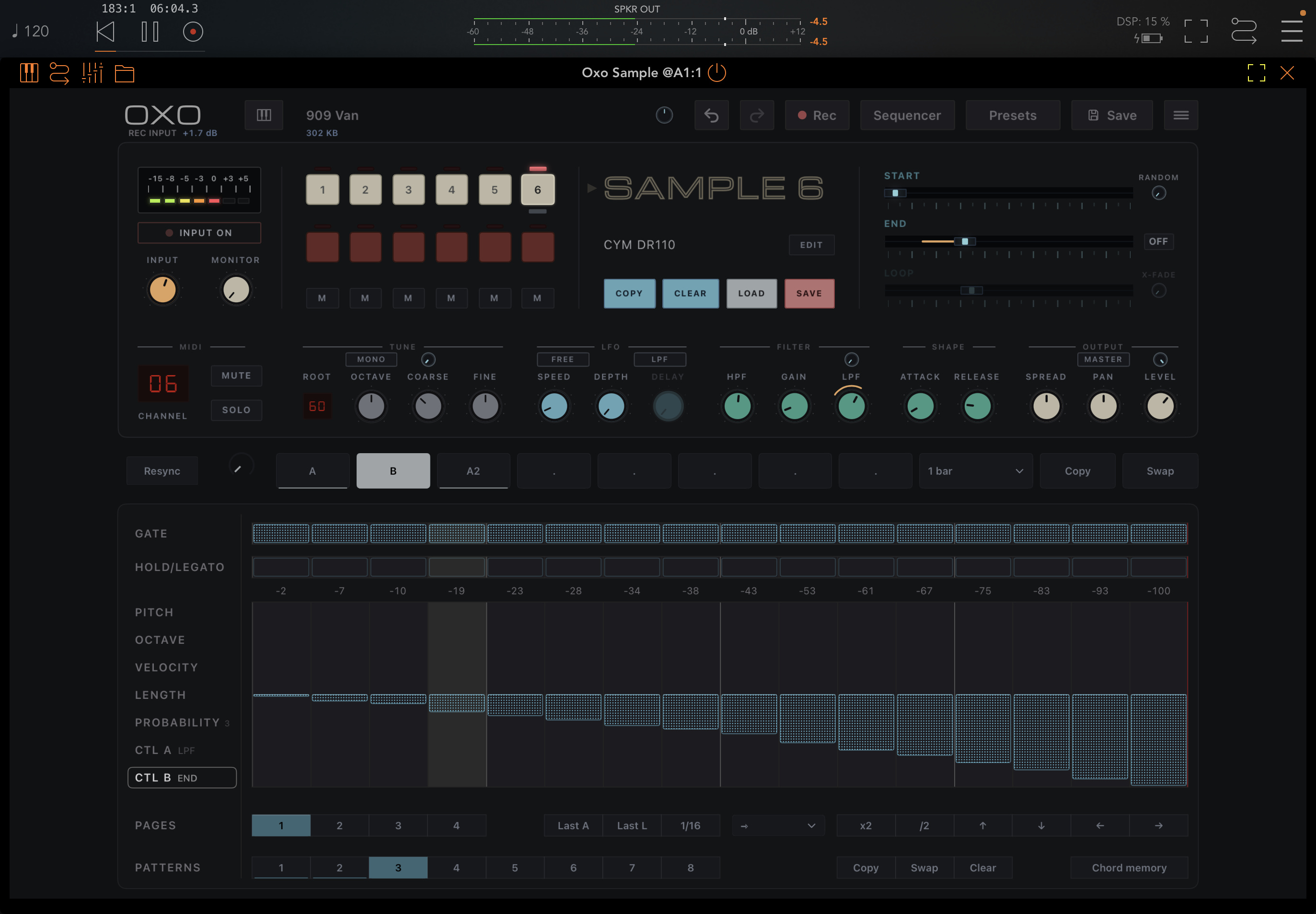
Sequencer

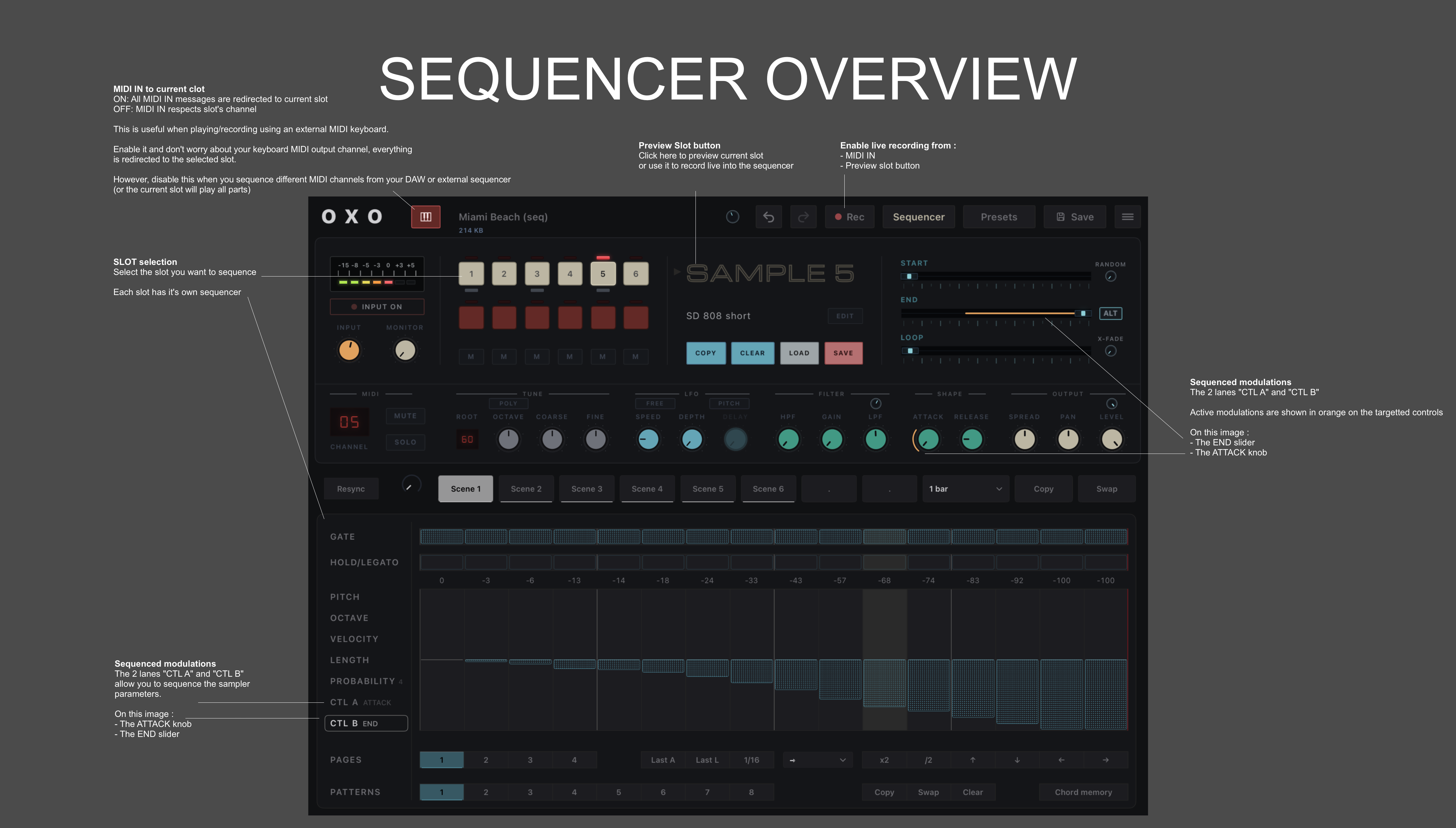
  • Each of the 6 slots has its own sequencer with 8 patterns and 9 polymetric lanes.
  • Sequence the sampler's parameters using the two dedicated Control lanes (A and B), such as the filter and sample start/end/loop points.
  • Record live from MIDI IN or by using the preview slot button.
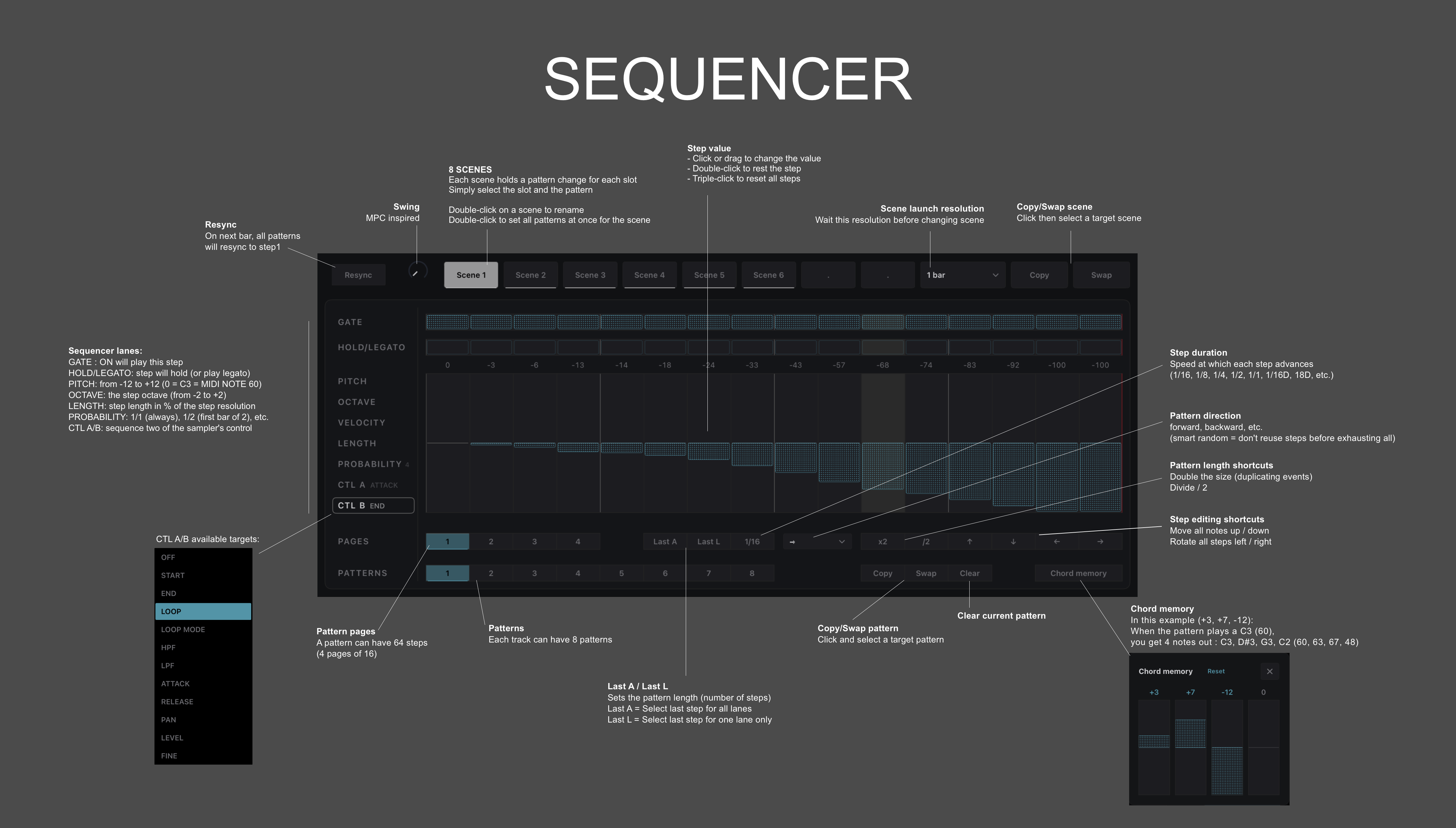
  • Launch pattern changes across all 6 slots using 8 scenes.

Download

The free version includes 1 fully functional slot. Unlock the full version directly in the plugin to get all 6 slots.

Feature highlights

  • 6 sample slots with up to 6 voices each
  • Each slot can be monophonic (with portamento) or polyphonic
  • 12-bit / 32 kHz mono capture from the input bus, or resample the output
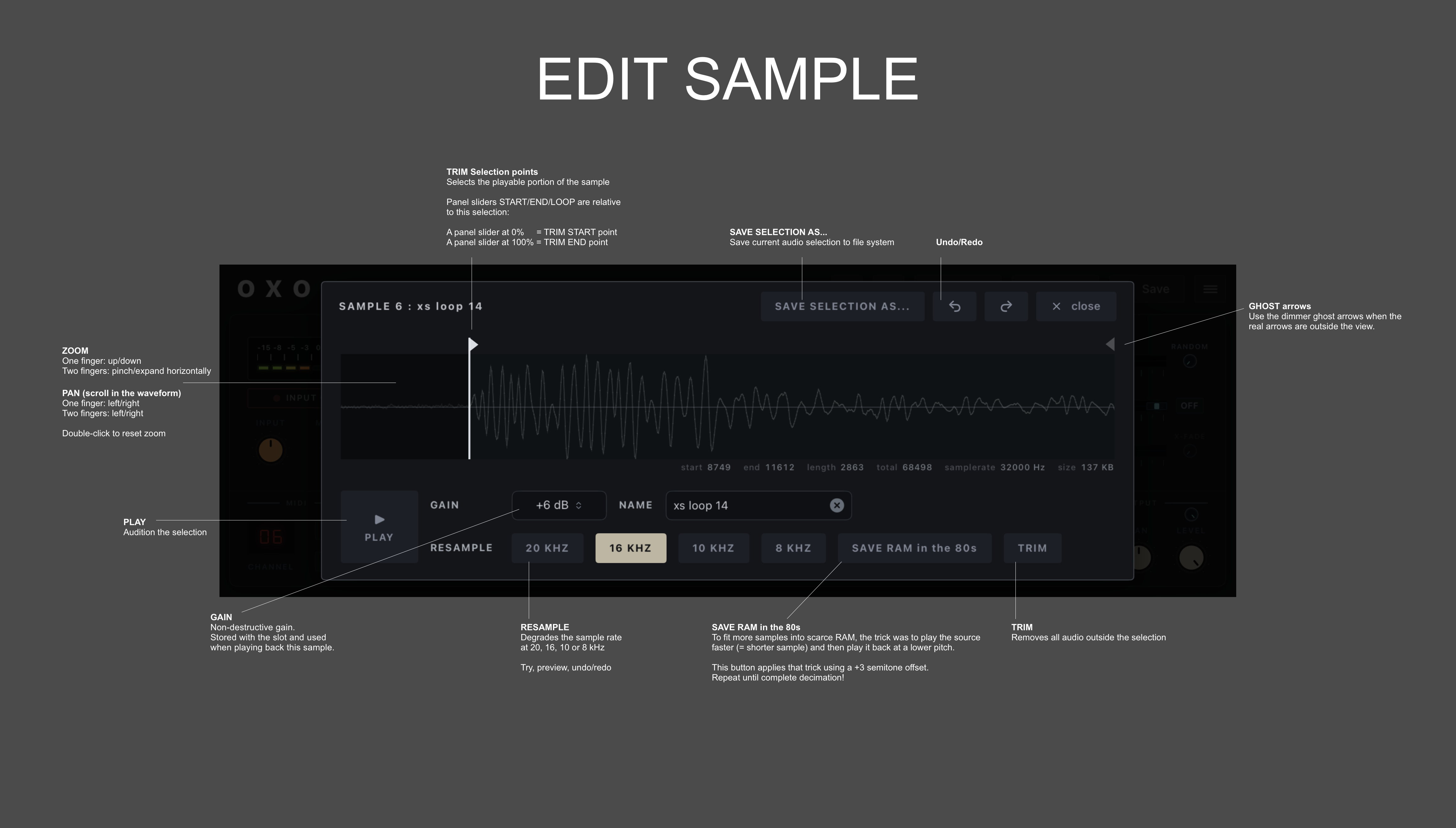
  • Degrade samples even further by automatically resampling at 20 kHz, 16 kHz, 10 kHz or 8 kHz
  • Live editing of start / end / loop points while playing, with loop crossfade and random start point
  • LPF and HPF filters
  • LFO: pitch, filter or loop point, free-running or retriggered
  • Alternating stereo spread per voice
  • Velocity to level and LPF cutoff
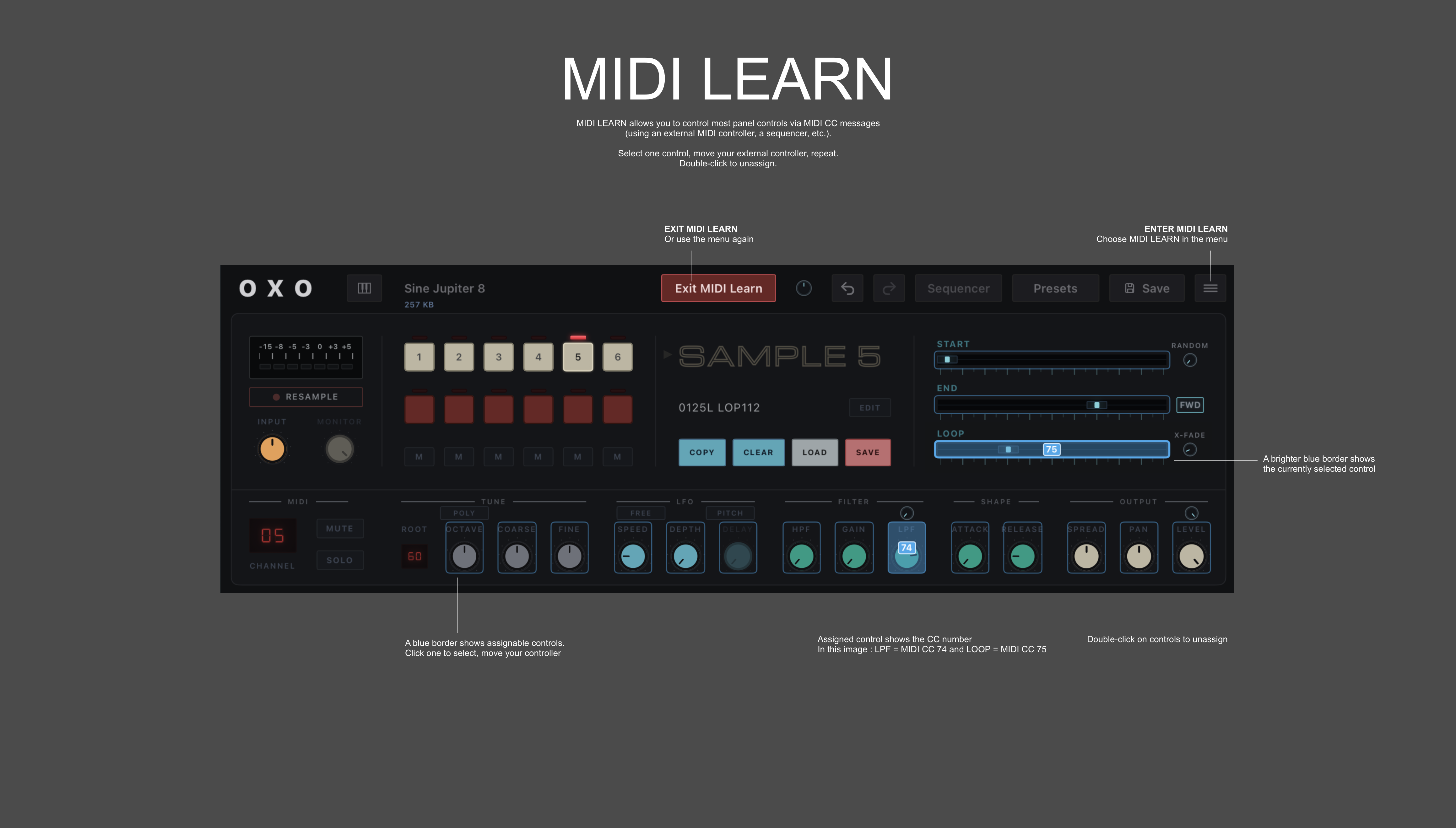
  • MIDI Learn: control the sampler via MIDI CC
  • Sequencer: each slot has 8 patterns of up to 64 steps and 9 polymetric lanes (Gate, Hold/Legato, Pitch, Octave, Velocity, Length, Probability, Control A and Control B)
  • Sequence the sampler's parameters using the two dedicated Control lanes (A and B)
  • Record live into the sequencer from MIDI IN or directly from the preview slot button
  • Undo / redo (audio edits included)

MANUAL

Quick visual reference of the main pages and setup.

Oxo Sample manual screenshot: sampler page
Sampler
Oxo Sample manual screenshot: edit sample page
Edit sample
Oxo Sample manual screenshot: MIDI Learn page
MIDI Learn
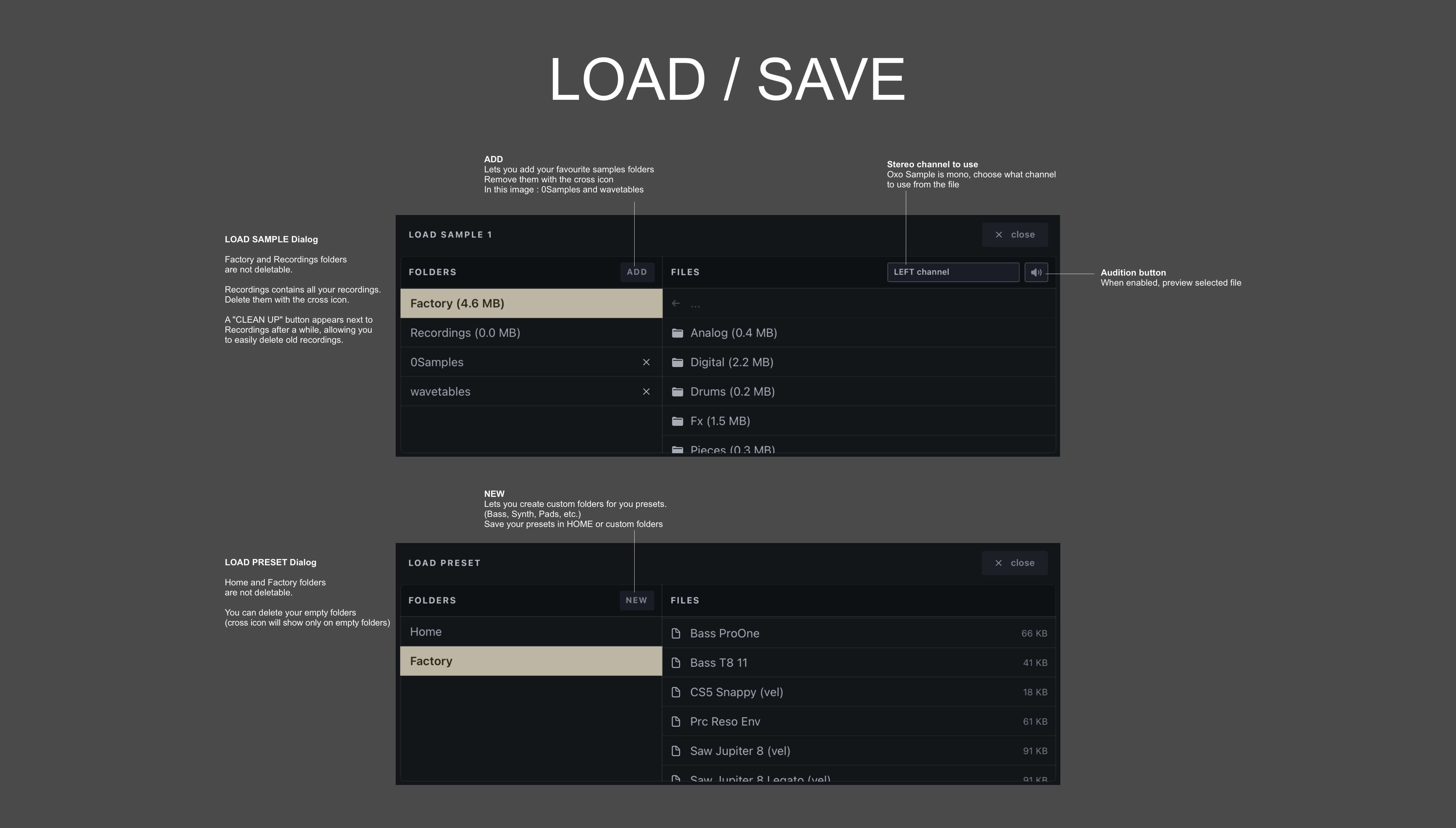
Oxo Sample manual screenshot: load and save page
Load / save
Oxo Sample manual screenshot: sequencer overview page
Sequencer overview
Oxo Sample manual screenshot: sequencer page
Sequencer